On this page
- March 2026: Starting with why Cowork hits your limit in hours
- April 2026: the desktop app got redesigned, and the answer is still the terminal
- Later that same day: why Claude only reaches its full potential in the terminal
- May 2026: the answer changed — beginners should just start with the desktop app
- August 2026: the CLI is the firstborn, everything else is a stepchild
- That philosophical ending from April, read now
People ask me this a lot: should you run Claude Code in the terminal or in the desktop app? I’ve written about it five times over the past year, and the answer changed three times. March and April were “the terminal, no argument.” May became “beginners should just start with the desktop app.” August swung back to “the CLI is the firstborn and everything else is a stepchild.” They’re below in the order I wrote them, each section marked with when. Where the answers contradict each other, I’m not going to smooth that over. That was my answer at the time.
Want AI working in your own job, not just in demos? See the 3-month 1-on-1 program →
March 2026: Starting with why Cowork hits your limit in hours
People with a Max plan often ask this: running Claude Code in the terminal all day barely makes a dent in their quota. Switch to Cowork for a few hours on a small project and you’re already hitting the limit.
Same Max plan. Same Claude. What’s going on?
The short answer
Cowork burns tokens dramatically faster than the Claude Code CLI. One Cowork session doing complex file operations can consume the same quota as dozens of regular chat messages. Max 5x’s “225+ messages” translates to roughly 10–20 real operations in Cowork.
There are three layers to why.
Layer one: Cowork’s hidden token overhead
Cowork runs inside a sandboxed VM. Behind every action, things you don’t see:
- Screenshots and image processing: Vision tokens are expensive — far more than plain text
- Multiple AI inference calls: A single “task” can trigger 5 to 10 API calls
- Full file reads into context: No fine-grained control over what gets loaded, unlike the CLI
- Compounding history: Every step carries the full history of all previous steps — context only grows
You think you’re doing one thing. Underneath, it’s running a dozen API calls.
Layer two: Claude Code CLI is inherently token-efficient
The CLI has advantages Cowork doesn’t:
Prompt caching. System prompts, CLAUDE.md, and tool definitions — the stuff that repeats across turns — gets cached. You don’t pay for it again each session.
Precise context control. You decide which files to read, which skills to load. A well-structured CLAUDE.md with on-demand loading is dramatically leaner than dumping everything into context at once.
No vision processing. Pure text interaction — no screenshots, no image recognition. That entire category of cost simply doesn’t exist.
Layer three: slowness creates a feedback loop
Cowork is slow. A task that Claude Code finishes in 5 minutes can take 40 minutes in Cowork.
Slow isn’t just frustrating — slow means more accumulated context, which means more tokens per step. The longer a task drags on, the more history every subsequent step has to carry. It compounds.
What the community has documented
This isn’t just anecdotal. GitHub issues:
- #16856: Users reporting token consumption 4x higher than before
- #23318: Multiple people confirming abnormal usage, suspecting billing changes
- #33120: Cowork-specific rate limit issues
Zvi Mowshowitz wrote a dedicated piece comparing the two, reaching the same conclusion: the gap comes down to context control. On Threads, developers said “Burns limits way faster than Claude Code” and “5min task in CC → 40min in Cowork.”
Extra observation: why Opus feels smarter in the CLI
This is subjective, but there’s a reasonable explanation.
CLI context is cleaner and more focused. The model can spend its compute on the actual problem instead of processing sandbox environment noise. Same model, better input, better output.
Separately, the sandbox experience in Cowork still doesn’t feel mature to me. ChatGPT Work over in the other camp is a lot better.
When to use which
Claude Code CLI: Development work, long sessions, tasks where you want precise control. Highest token efficiency. Built for daily heavy use.
Cowork: GUI operations, browser interactions, or when you’re not comfortable with the terminal. The tradeoff is significantly higher quota consumption.
If you have a Max plan and your main work is coding, you rarely need to touch Cowork.
April 2026: the desktop app got redesigned, and the answer is still the terminal
Anthropic released a redesigned Claude desktop app this week. Better design, friendlier interface. The terminal does scare off a lot of people, and having a polished GUI entry point genuinely lowers the barrier.
But if you ask me what I use day-to-day, the answer is still the terminal.
The update frequency gap
Claude Code CLI gets roughly 1 to 2 version updates every day. The desktop app’s update cycle is around 2 to 4 weeks.
This gap isn’t just a version number difference. Almost all new features, performance fixes, and behavior improvements ship in the CLI first, with the desktop app following weeks later.
2.1.86 at the end of March fixed the issue where tagging large files caused unnecessary JSON escaping that inflated token usage, and fixed a long-session memory bloat bug caused by markdown syntax highlighting cache. I had those fixes in CLI the same day. Desktop app users are still waiting.
If you’re using Claude Code seriously for real work, that lag has tangible daily costs.
The resource efficiency gap
My main machine is an M2 MacBook Air. Running the Claude Desktop App makes the machine noticeably sluggish when doing other things — the whole system feels slow.
The Claude Code CLI has essentially none of this. I currently run 3 Ghostty windows, each with 3 to 4 panes, running 5 to 6 Claude sessions simultaneously, and the system stays responsive.
A pure terminal application lives at the OS layer, with zero GUI overhead.
One thing most people don’t know
The desktop app and the CLI read completely different config files and don’t share settings with each other.
| Environment | Config file location |
|---|---|
| Claude Code CLI | ~/.claude.json |
| Claude Desktop App | ~/Library/Application Support/Claude/claude_desktop_config.json |
This means any MCP server you’ve installed in the CLI, any environment variables you’ve set, any PATH configuration — the desktop app doesn’t know about any of it.
The desktop app has an additional limitation: it doesn’t inherit your shell’s PATH. So if you reference a command like uvx in the config, the desktop app can’t find it — you need the full path (e.g., /Users/yourname/.local/bin/uvx).
Every time you install a new MCP, remember to configure it in both places. This isn’t a big deal once you know, but if you don’t realize they’re separate, spending an hour debugging why an MCP works in CLI but not desktop is easy.
Recommendation
The desktop app is a good starting point for people new to Claude Code. It removes the “I’m not comfortable with terminals yet” mental barrier, and the design really is nicer than black text on dark background.
But if you’re using Claude Code for serious work, migrating to CLI is the right long-term call. Faster updates, lower resource usage, more configuration flexibility — these compound every single day.
Later that same day: why Claude only reaches its full potential in the terminal
I have an unexplainable fondness for Claude Code’s pure CLI interface. I eventually figured out why — I’m old enough to have grown up on bulletin board systems, and a black-screen text interface has a certain comfortable familiarity.
But nostalgia is just personal taste. The real reasons to choose CLI are much harder than sentiment.
Speed and resource efficiency
Terminal execution speed isn’t in the same category as GUI tools. A pure terminal application lives at the OS layer with essentially zero GUI overhead. IDEs like VSCode consume multiple times more system resources.
IDEs just tie Claude’s hands
Every IDE adds a layer of wrapping. That wrapping has value — syntax highlighting, file trees, debug panels — but it also limits what Claude can do. The interface logic decides which tools are available and which features are hidden.
In the CLI, Claude talks directly to the operating system. No IDE wrapper, no GUI overhead, no interface layer deciding what’s accessible.
That’s what I mean when I say the CLI version of Claude is “complete” — not hyperbole, literal. Every capability available to Claude Code is available in the CLI. IDEs offer a selection.
The multi-window workflow
AI response time is time that can be used. My working pattern:
- Session A: long-running tasks (data fetching, builds, large batch operations)
- Session B: medium-duration tasks (editing code, writing, processing data)
- Session C: quick back-and-forth (lookups, verification, fast questions)
Three threads running simultaneously, no “waiting” ever happens. While one session is processing, the other two are either working or ready for my next instruction.
This workflow is very hard to replicate in a GUI environment because managing multiple windows has real overhead. In the terminal, a tmux session or Ghostty’s tab system handles it without friction.
Ghostty: the Anthropic team’s recommendation
Boris, Claude Code’s lead maintainer, once said: “I personally use iTerm2, but the whole Anthropic team recommends Ghostty.”
I made the switch from iTerm2 and haven’t looked back. What makes Ghostty different:
- GPU rendering — scrolling and response speed is in a different league than iTerm2
- Highly flexible font configuration — separate fonts for different character sets, each optimized independently
- Clean config file format, plain text, version control friendly
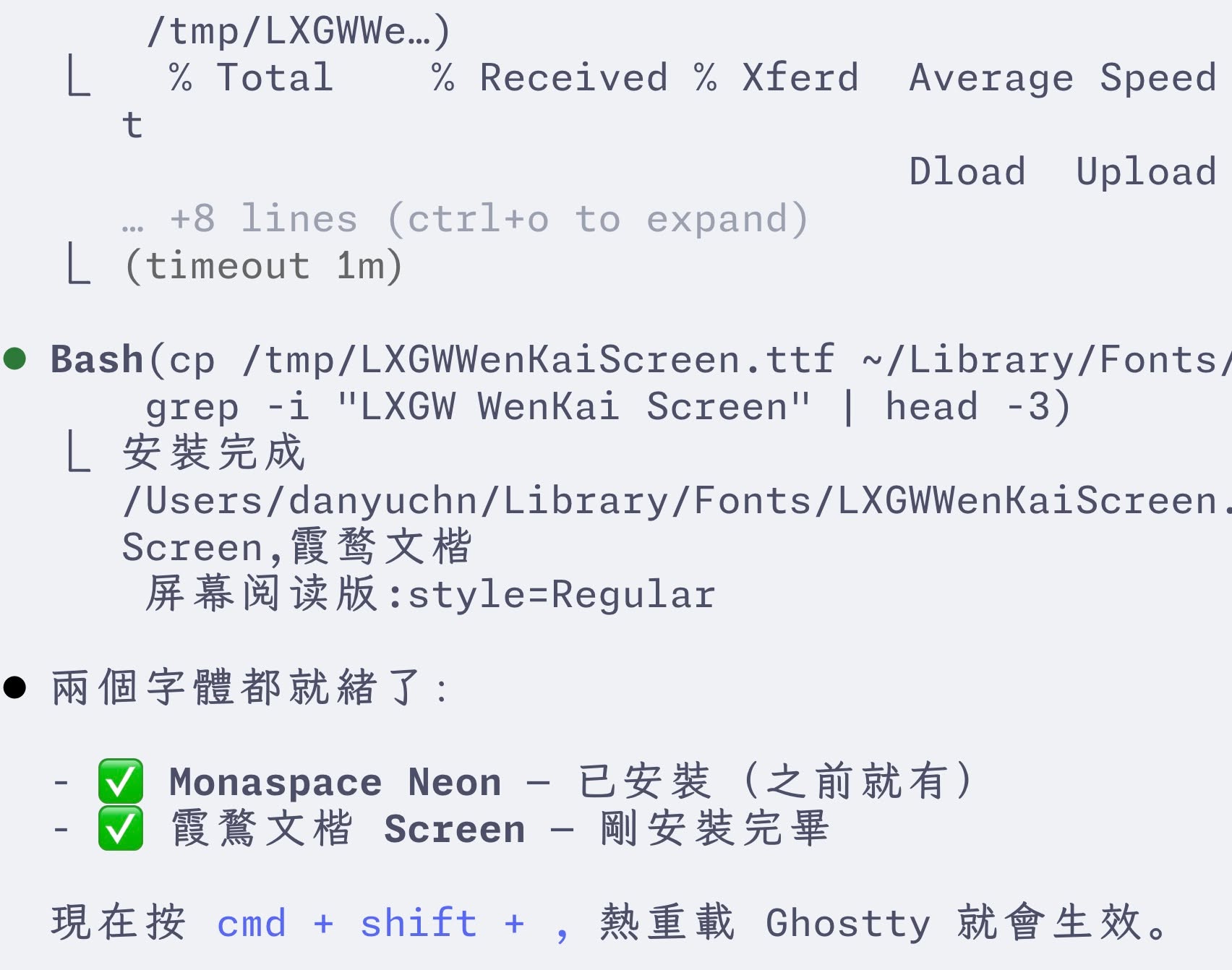
Font configuration is worth the time. If you’re looking at text in a terminal for several hours a day, whether the font feels good has a real effect on your mental state. Ask Claude Code to recommend a font combination that works well for your languages, make the change, iterate. The effort to configure is low, the payoff compounds daily.
Voice input in the terminal
One combination worth mentioning: voice input.
In the terminal, typos don’t need to be corrected — Claude almost always understands the intent from context. I started using voice input regularly and found that even with terrible formatting, full of filler words and mistakes, Claude gets it right.
Voice for issuing tasks, text for reviewing results — this combination flows better in the terminal environment than in GUI. There’s nothing to click or navigate, just the output to read and respond to.
May 2026: the answer changed — beginners should just start with the desktop app
I’ve always been a CLI person. Lower system resource usage, faster updates, full feature parity — those three things kept the terminal ahead of the desktop app for most of the past year.
But the desktop app is fine now. Honestly fine.
About two or three weeks ago Anthropic overhauled the desktop app. Over 90% of the features now sync with the terminal. The remaining 10% is stuff only advanced developers will ever touch: hooks, certain subagent behaviors, deeper MCP configuration. The desktop app’s update cadence has picked up too. It’s nothing like the once-every-two-weeks rhythm from before.
The newest features still land on the CLI first. But honestly, the newest features have a high chance of being abandoned mid-stream. Anthropic ships new features faster than they maintain the old ones. A regular user has no business chasing things that are still in research preview and full of bugs. Wait for the feature to stabilize, then it migrates into the app — that’s the more comfortable path.
So if you’re a beginner who finds the terminal intimidating, starting from the desktop app is completely fine. Once you’ve gotten used to the flow, figured out which advanced features you actually need, and feel boxed in by the GUI, you can switch over to the CLI. The reverse order — starting with the CLI when you don’t even know what you need it for — costs more.
Why am I still on the terminal? Because I’ve already built workflows around hooks, custom skills, and shell-level mixes with git, ffmpeg, and yt-dlp. Those things are smoother in the CLI. If your day looks more like “I mostly chat with Claude Code, write documents, organize data,” the desktop app is enough.
Put another way: tools aren’t right or wrong, they fit or don’t fit what you need right now. Start with the desktop app, get up and running. Six months later if you find you want more automation, want hooks, want to wire in local scripts, then spend an afternoon learning the terminal. There’s no reason to get blocked by flags and config files on day one.
August 2026: the CLI is the firstborn, everything else is a stepchild
New features and freshly fixed bugs all land in the CLI first, so the CLI is the native, first-class environment. Remote control? You’ll be waiting until the cows come home for an update.
Uh, let me give an example. In the early days of the remote control environment, typing a slash didn’t bring up the SKILL menu, so unless you remembered a skill’s full name, you couldn’t call it. That only got fixed three months after remote control shipped.
They’re all Anthropic-native, but parents play favorites even among their own kids. The CLI updates most often, roughly daily (because the staff use it themselves). Desktop used to be slow, then the big revamp came and updates picked up. Everything else just crawls. Search the CHANGELOG for remote control and you’ll see how often anything related to it gets fixed.
That said, even though the CLI updates most frequently, August also ran into a strange anomaly:
And here’s another odd thing. The Claude Code CLI, which used to update daily, has now gone 8 days without an update. Issues are still holding steady around five thousand even after the bot’s aggressive deduping, so it’s not like there are no bugs left to fix.
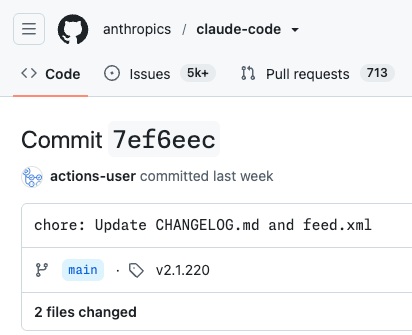
Are they sitting on something big, or did something drastic shift internally? No idea at this point.
Quite a gap from the AI self-healing workflow they were promoting so hard. With this company, what they say and what they do are two separate accounts.
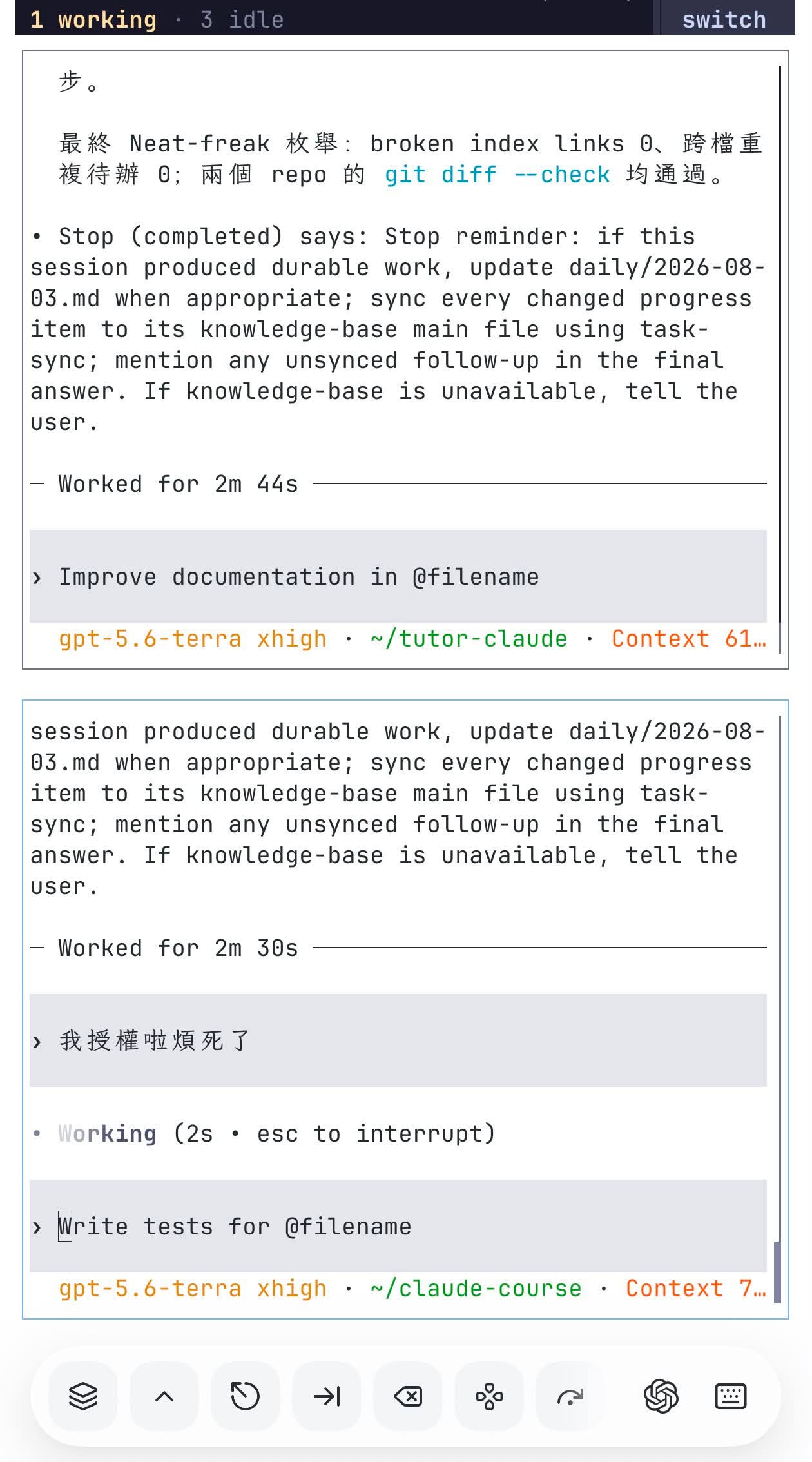
Since official remote control updates so slowly, I just use the CLI directly even on my phone. So if you’re already used to the CLI on your machine at home, isn’t mirroring that CLI straight to a mobile device the most convenient thing?
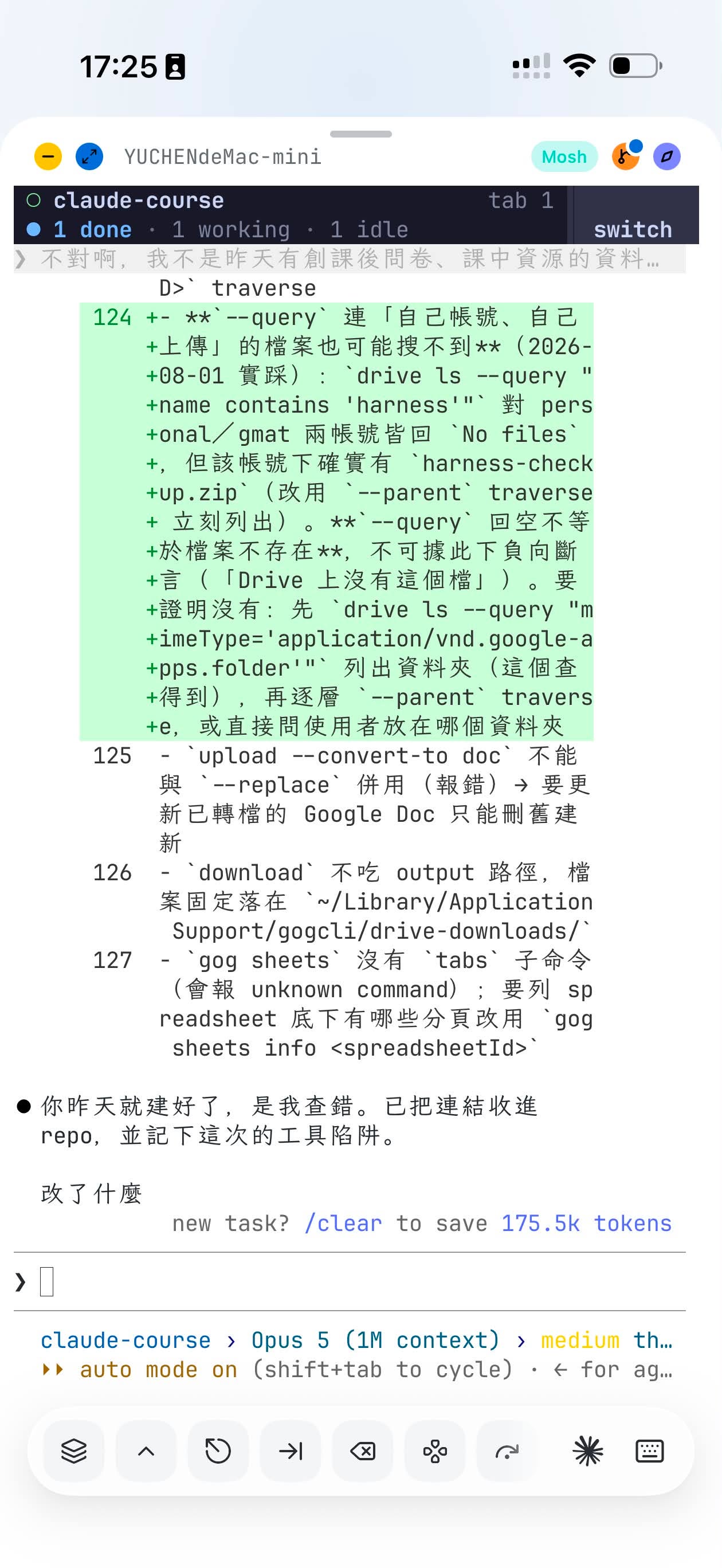
Why not use the official Claude / Codex cloud control apps on the phone?
Because who knows when they’ll ever ship split pane…
That philosophical ending from April, read now
At the end of the April post, I wrote something more philosophical: choosing CLI isn’t just a technical preference. It’s a stance on how you want to work with AI. You’ve decided to use this tool seriously, not keep it in a convenient but constrained sandbox. You want the complete capability set, even if the entry cost is slightly higher. That choice compounds over time.
That was April. In May I told beginners to start with the desktop app. In August I was complaining that everything outside the CLI gets treated like a stepchild. All three answers are sitting right here.
Postscript (2026-10-20): The “two separate config files” warning no longer holds the way I wrote it. Code sessions in the desktop app now read the same settings files as the CLI, and on macOS the app reads your shell profile for PATH.