On this page
I still think you record your own narration and put yourself on camera, and let AI help with the visuals and animation. That’s the sweet spot.
Want AI working in your own job, not just in demos? See the 3-month 1-on-1 program →
The first thing I do when I get home from a trip
For travel vlogs, the first thing I do when I get home is hand the footage over to AI for automatic sorting.
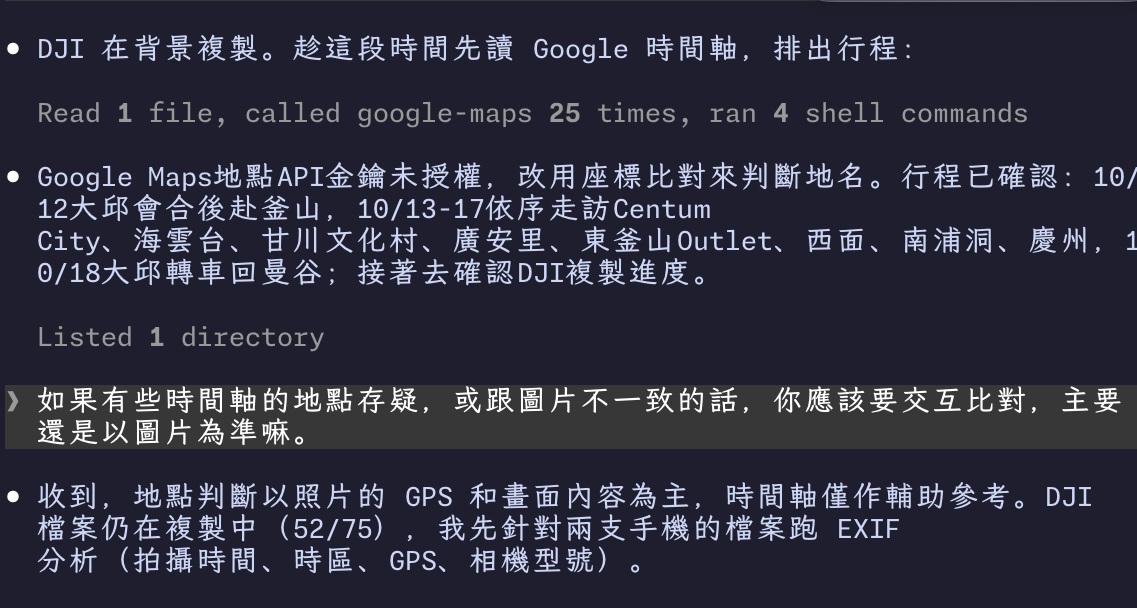
Every phone and the DJI get plugged into the Mac mini. Claude Code pulls out everything I shot, dedupes it, and sorts the footage, then exports my Google Maps GPS timeline plus what’s in Gmail and my calendar and cross-checks them all. The end goal is a vlog. Meanwhile I go unpack and do the laundry.
The most tedious 90% of editing
Once the footage is organized, the rest of the editing can completely run on its own.
I used Astra + DaVinci Resolve to cut a six-day vlog. The material was my iCloud items, my Google Maps timeline, and my email. It guessed what my six days looked like on its own, wrote the text, ordered everything, imported it, and found the music. Honestly it did the most tedious 90% of the editing. It used about 40% of the weekly quota on the 20 USD plan.
I also noted this in a postscript to the Luna Max post: DaVinci Resolve Studio wired up to MCP and driven by Luna Max is the god of video post-production in this new world.
Usually by the time the suitcase is unpacked, the vlog is done too.
You don’t need to pay much for transcripts
As for the narration transcripts in the video, the toolchain is actually very lightweight.
Qwen 3 ASR plus a hotwords custom dictionary plus pyannote for speaker diarization is honestly more than enough.