This is how I use herdr.
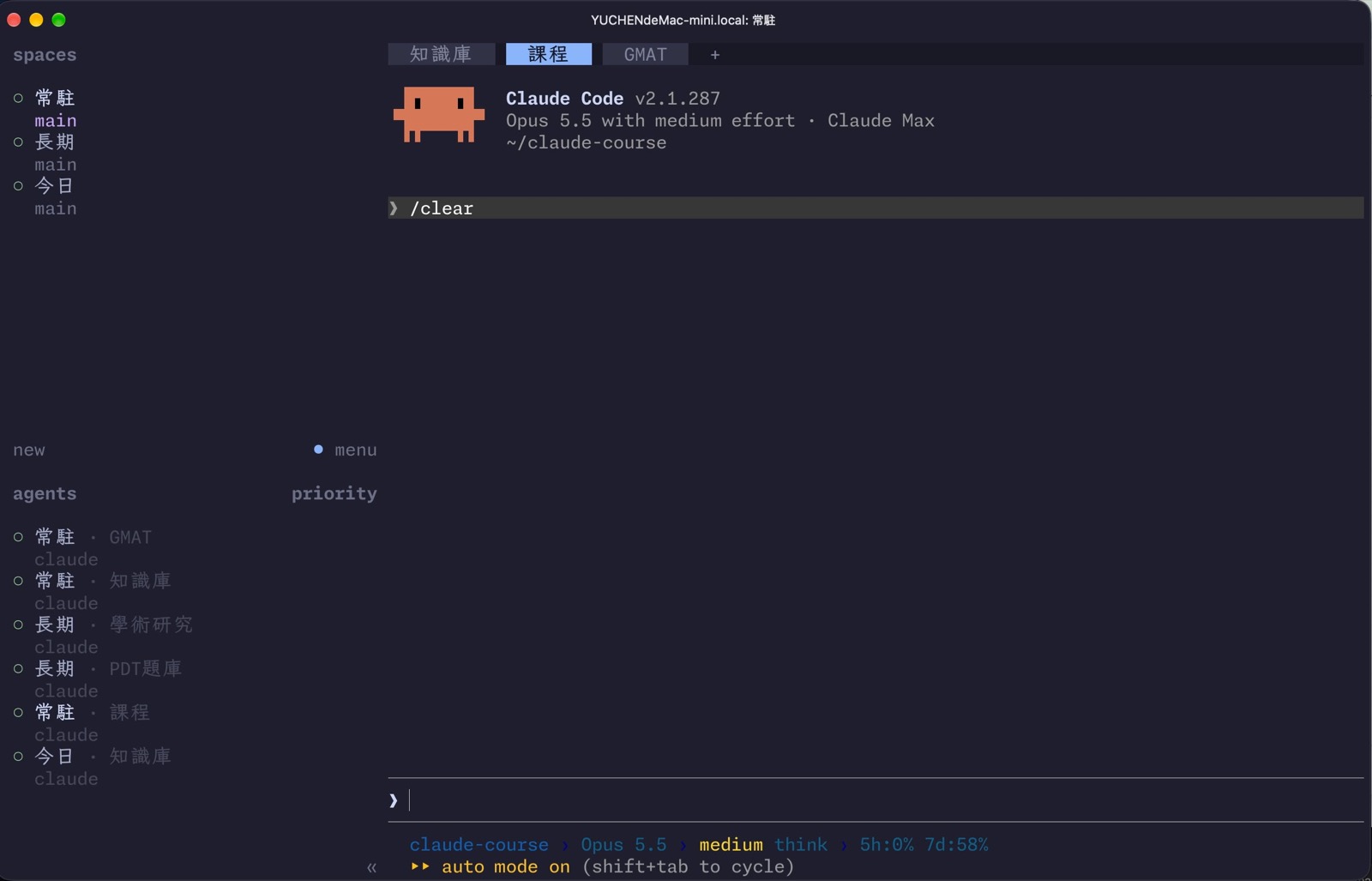
herdr’s hierarchy is Workspace (top-left) → Tab → pane. At first I split things up at random, until I couldn’t find anything. Then I asked Opus 5.5 to analyze my session logs from the past 30 days and work out the best way to use it: workspaces are split by how often the tasks come up, into “standing” (常駐), “today” (今日) and “long-term” (長期).
Want AI working in your own job, not just in demos? See the 3-month 1-on-1 program →
The three workspaces
Standing is my general manager. What I do most there is ask it to control the agents in other panes with the /herdr skill. One tab is one project.
If the standing agent session decides a task has to be finished today, it opens a tab in the “today” workspace, and inside that tab opens 1-4 split-pane sessions as needed.
If the agent decides the job will run for several days, it opens a tab in the “long-term” workspace.
I set today and long-term up as separate worktrees, so there’s no race condition from parallel file writes.
A nightly system schedule sweeps through. The today workspace (short to-dos) must be emptied, and anything unfinished gets written down as a to-do by the standing agent. The long-term workspace doesn’t have to be emptied every night, but the standing agent has to update the progress doc each night.
Four status lights
herdr updates the state of each vendor’s agent in real time, with four lights:
- Hollow light: finished and already read, idle
- Green: finished but unread, idle
- Yellow: working
- Red: waiting for the user (for example, a permission prompt asking YES/NO)
All of this can be read through the herdr CLI, so the standing agent always knows who’s done and who’s still running, and can step in to direct and interact with them itself.
Jumping into the next pane to rescue
I mentioned in an earlier post that herdr lets agents control agents. This is the who-knows-how-many-th time this month I’ve asked Opus 5.5 to go next door and rescue something.
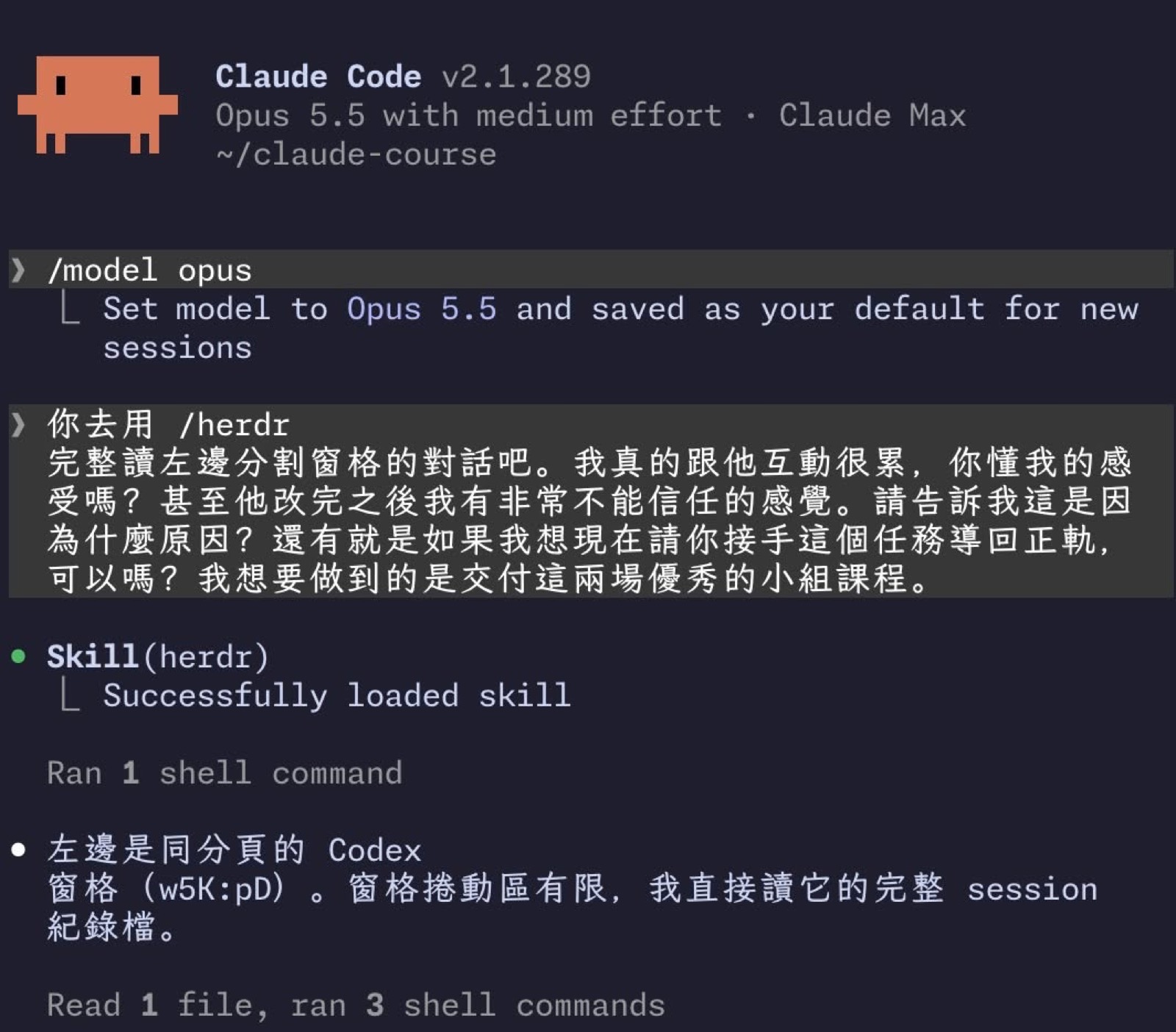
In the screenshot I say that working with the one on the left is exhausting, that after it makes its edits I don’t trust the result at all, and I ask Opus to take over and get the task back on track. It loads the herdr skill and says the left side is the Codex pane in the same tab, the pane’s scrollback is limited, so it reads the full session log file directly. The background is in this post: Why GPT 6 Sol / Luna felt so dumb.
Watching them go back and forth across panes, my biggest takeaway wasn’t just the multitasking — it was the gap between the models themselves. All I can say is:
- herdr is great. It lets an agent jump into another pane and rescue things.
- A model’s real performance can’t be shown by benchmark scores.
- What’s precious about Claude (only lately) is that it really gets you (a bit of mind-reading). Give it more context and it performs above what you expected.
- Where GPT needs to step up: don’t only do RL for coding and development. We knowledge workers need it too.
Pulling back to the tooling level, though: I haven’t used Orca, but herdr is mature. herdr is designed natively for agents. It’s an upgraded tmux, and I highly recommend it.