On this page
Claude Mod officially landed in the Desktop App and everyone was talking about it. I saw people building really good stuff. I want to share the one I made too: AI never sees your confidential information. The Mod masks it automatically, restores it automatically, and the key information never leaves your machine. I’ve already given it to my client’s team, and so far it works without a single problem. The source is at pii-guard, and there’s a write-up in PII Guard TW.
After that I made two more. This post covers those two, plus one feature Claude Code added by itself.
Want AI working in your own job, not just in demos? See the 3-month 1-on-1 program →
The warm-cache plugin
Someone shared that you can build a cache-protection plugin with Claude Mod. I searched GitHub for the existing ones and none of them fit how I work. So I had Sonnet 5.5 hand-build one for myself.
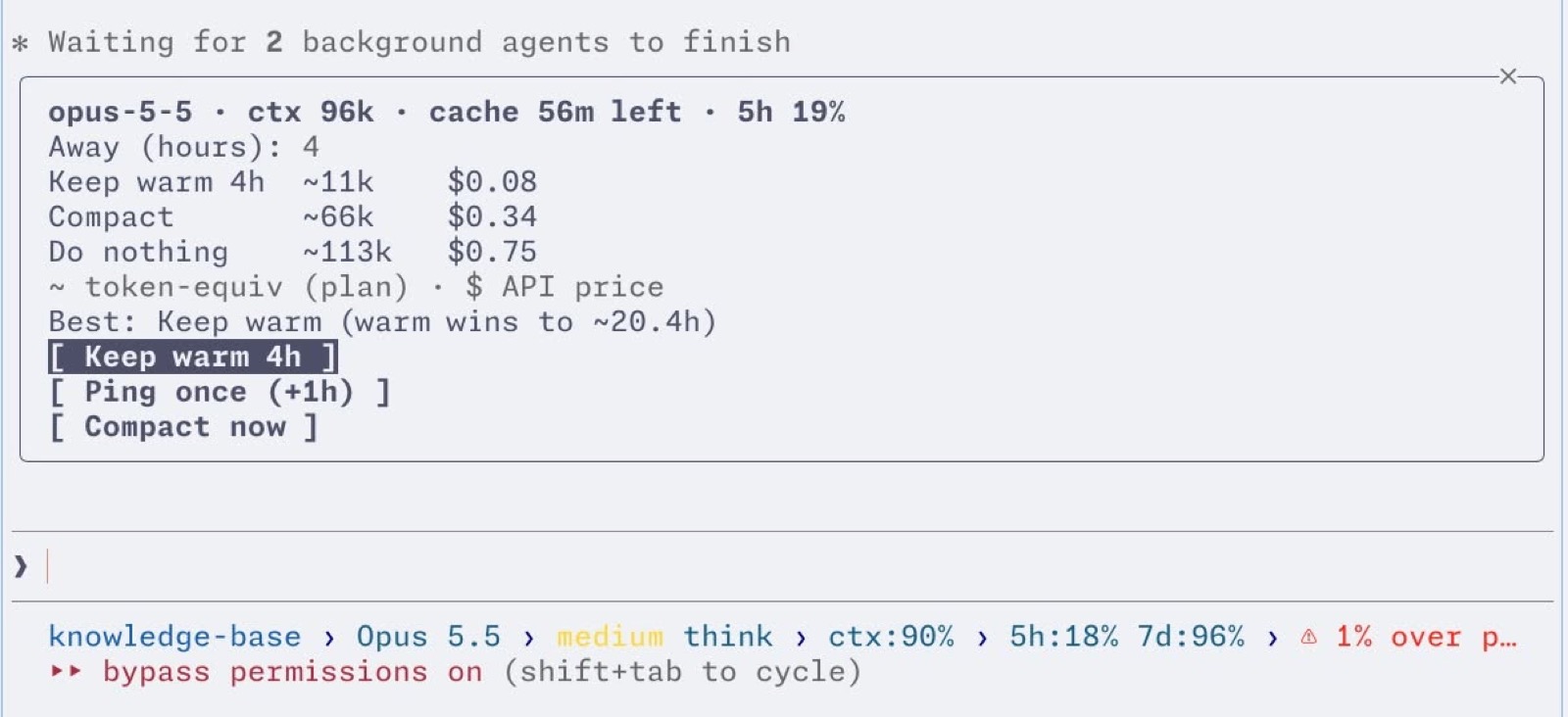
My warm-cache plugin sends a reminder when the cache is about to expire, and the user opens a menu to pick one of three options:
- Keep warm: every 50 minutes it forks the conversation to protect the main conversation’s cache, without touching the main conversation’s context. The warm period is adjustable, four hours by default. Good for people who know how long they’ll be away.
- One-time protection: it warms the cache once, and that’s it. Good for people who are busy in another window and will be back soon.
- Compact: you know you probably won’t be back today, but when you do come back and eat the cold context, you want to save quota.
The top of the menu calculates the API cost (quota) of the three methods in real time, so you can pick the cheapest.
The recording mask Mod
I finally finished the ultimate Claude Code teaching tool.
As everyone knows, when you record a course or livestream how to use Claude Code, the biggest fear is that something from your everyday work suddenly shows up on screen that you don’t want the audience to see.
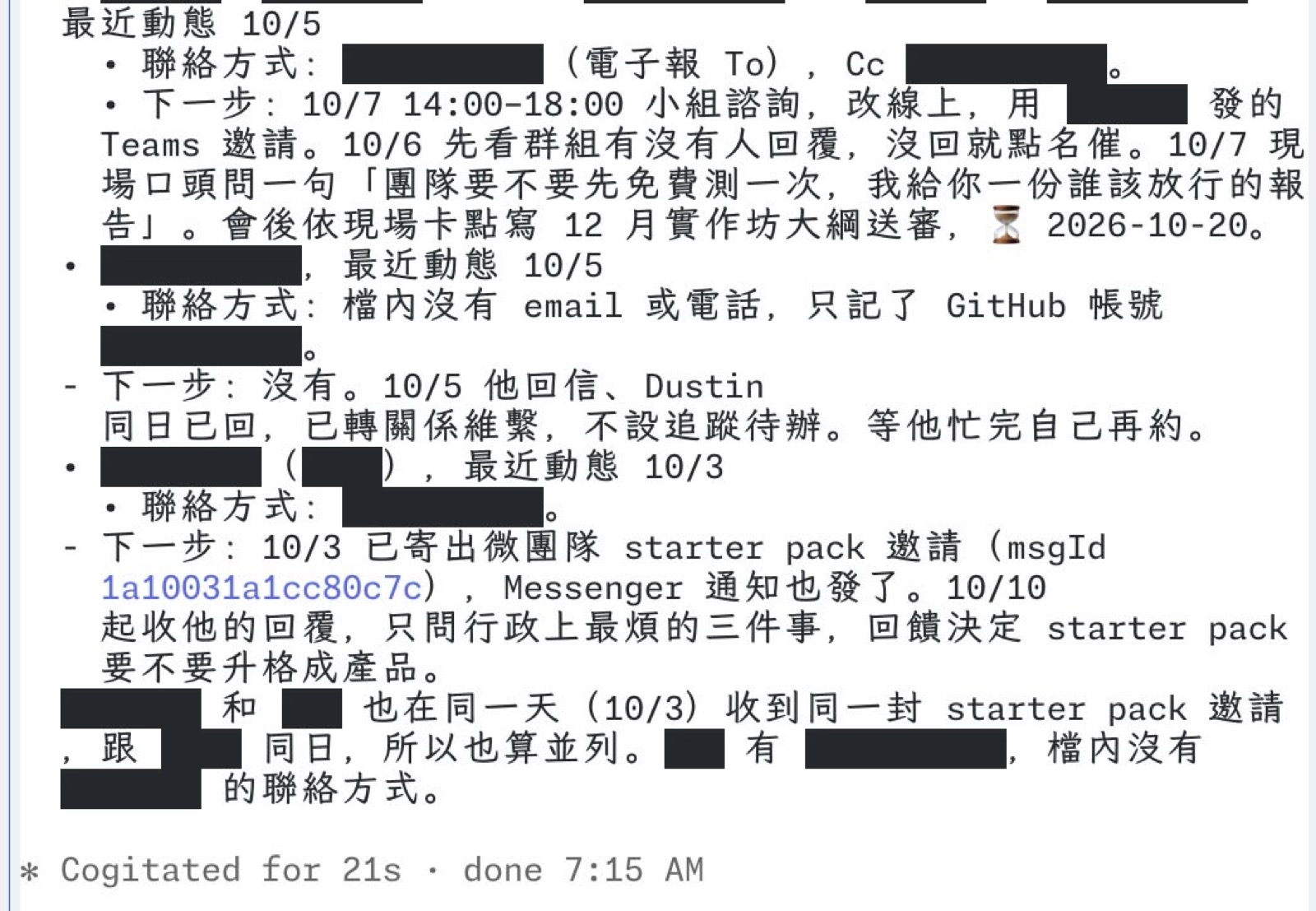
This Claude Mod works with local matching, JEV (you can swap in any other fast local decision model, there are plenty lately), and a custom list. Together they pre-mask any sensitive information in Claude Code’s output, so you never have to blur things out in post when you record a tutorial.
If it masks too much, you can click a black bar at any time and the text is restored. You can also tune the JEV rules and the list, so it gets better at knowing what to mask and what not to.
It’s very fast, because I designed the mechanism as “mask first, review after”: within 5ms everything is masked strictly, then JEV re-reviews within 0.5 seconds and unmasks whatever didn’t need hiding. So it won’t lag in class.
I’d built a more mature one before, made specifically to stop AI from seeing personal data. That’s the PII Guard from the top of this post.
After building it, I realized Claude Code already has a similar built-in mechanism.
Claude Code’s built-in idle compact
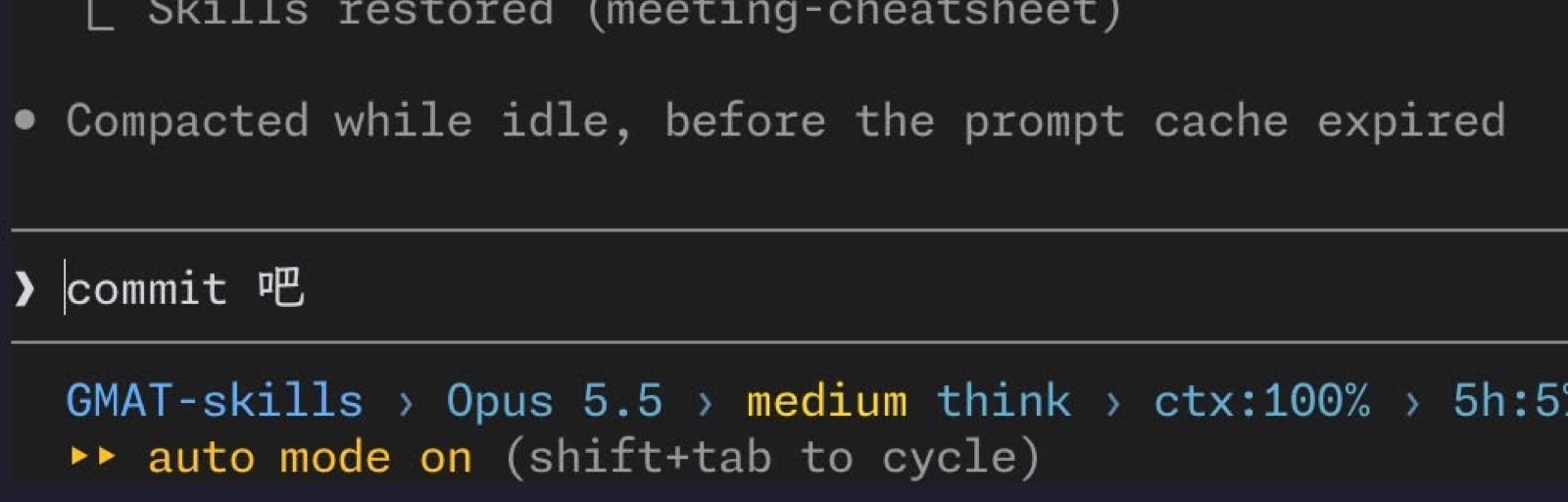
On 10/08 I noticed a new Claude Code CLI feature: “Compacted while idle, before the prompt cache expired”. A quick search suggests it was added in 2.1.286 last week. Nice!
Before the cache goes cold, the system compacts the conversation for you, so when you come back you aren’t forced to resend a big cold chunk of context to the model and get billed for it.
idleCompaction and CLAUDE_CODE_IDLE_COMPACT_MIN_TOKENS decide whether it’s enabled, and how long the context has to be before idle compact kicks in.
Pitfalls I hit while building these
- The herdr terminal doesn’t support clickable hyperlinks, so a Markdown link prints as “text (https://…)”. A clickable mask has to use the mod’s own Button. If the whole Text sits inside a wrapping row, the black bars drift out of place, so I had to split it into small per-character Text elements.
- When Ollama judges a batch at once, the response format can’t be an array. The model skips items and every row after that is off by one. Give each candidate its own fixed-key JSON schema.
- The first time in fullscreen mode, a reply that had just finished streaming wasn’t masked. Reopening the conversation or asking the next question fixed it. I haven’t found the cause. Before class, ask one question to confirm the black bars show up.
Open source
I fixed a few small bugs in the warm-cache plugin and open-sourced it. I don’t normally use the Desktop App, so for now there’s only a CLI version. If you use the Desktop App, I’d love for you to tweak it, test it, and send a PR.
Both mods live in this repo: claude-mods.